
Structured Control
Define exactly how work progresses through each stage.
MDWorkflow gives teams a centralized way to manage projects, track deployments across partitions, and enforce workflow control from submission through approval, installation, and distribution.
Submission
ADO #4821 · PROD-01
Approval
2 of 2 approvers
Installation
Partition: PRD-WEST
Distribution
Awaiting trigger
Why MDWorkflow
MDWorkflow is built for teams that need more than simple task tracking. It provides structured workflow control for deployment submission, approval, installation, and distribution—while giving stakeholders a web-based view of project and task progress.
Define exactly how work progresses through each stage.
Stakeholders see real-time deployment status via the web UI.
From submission through distribution—automated triggers move work through your defined states without manual hand-offs.
Advantages
One platform to unify deployment visibility, governance, and toolchain integration.
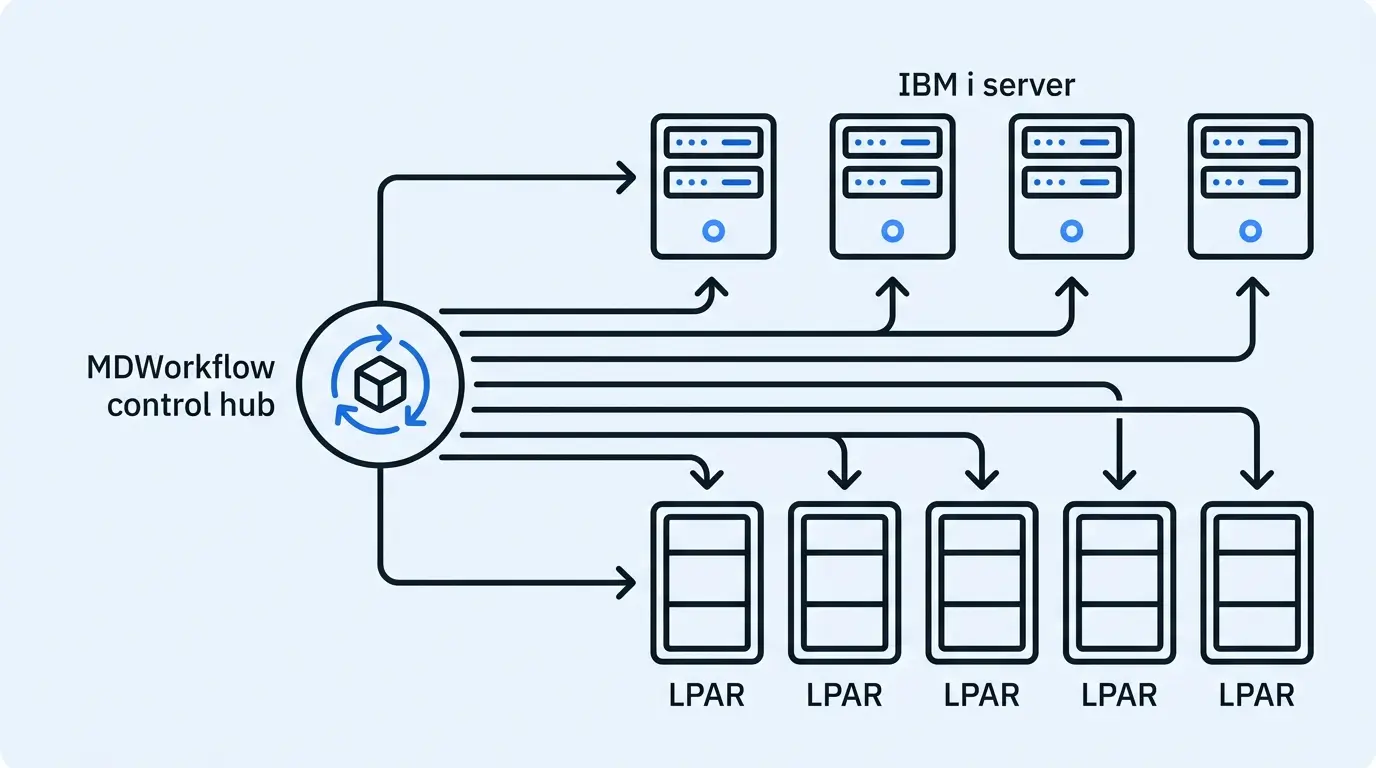
Track all deployment activity across every partition from a single, unified web interface.
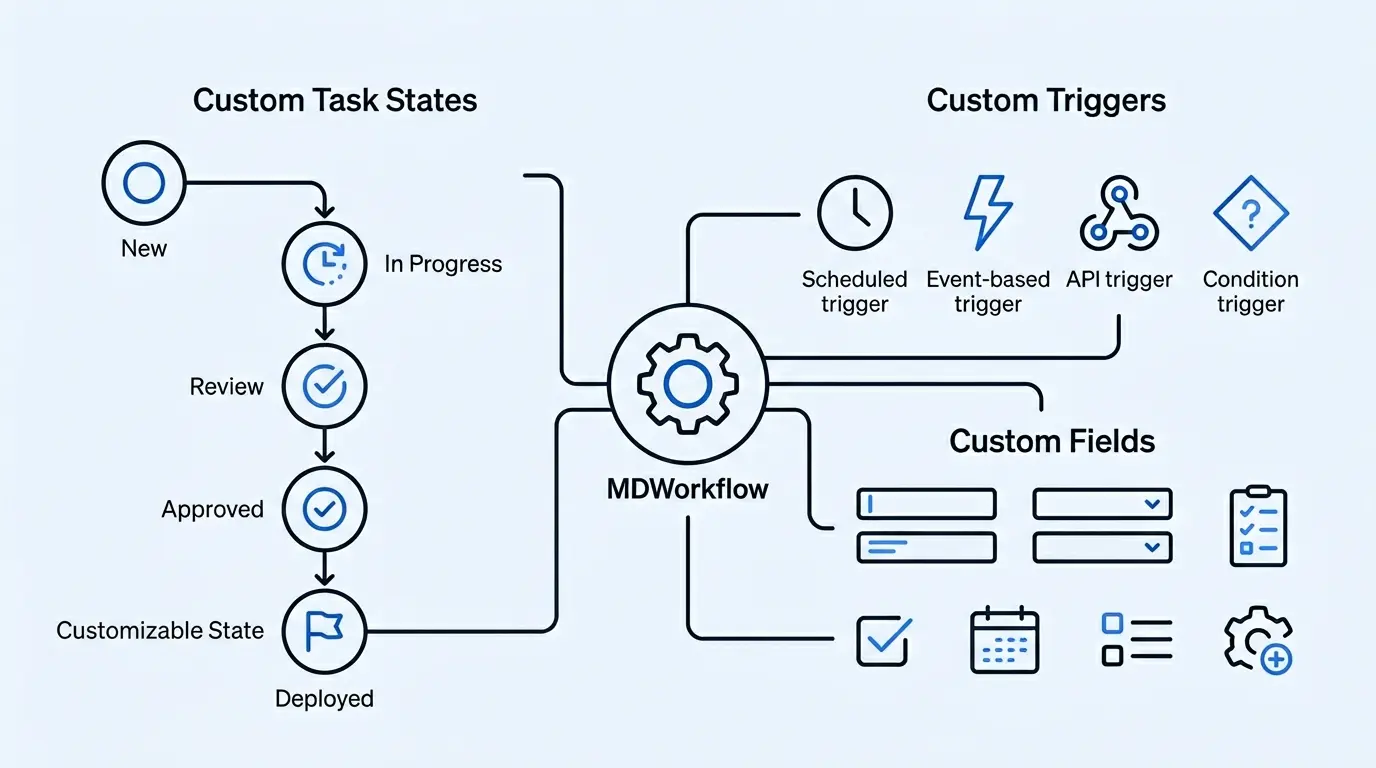
Define exactly how work moves through your process with custom states, boundaries, and triggers.
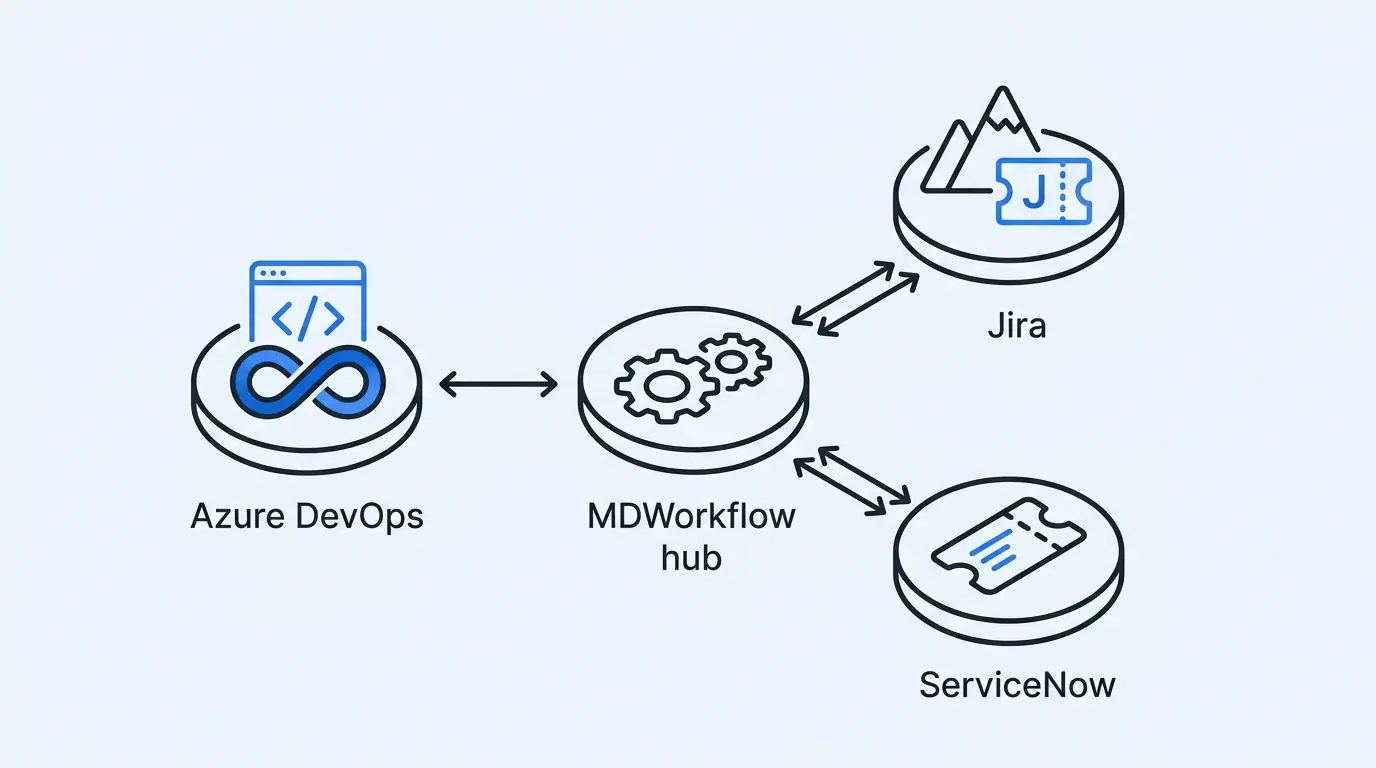
Connect seamlessly with Azure DevOps, Jira, and ServiceNow to unify your existing ecosystem.
Adapt the platform using custom fields and configurable logic that matches your actual operations.
Capabilities
Everything you need to take deployment workflows from chaos to precision control.
Connect with Azure DevOps (ADO), Jira, and ServiceNow to unify issues, tasks, and tickets in a single workflow system.
Define workflow stages precisely tailored to your organization's deployment process and approval requirements.
Enforce strict control over submission, approval, installation, and distribution—nothing advances without authorization.
Automate transitions between workflow stages based on defined conditions, reducing manual hand-offs and bottlenecks.
Capture the exact data required for your processes—no one-size-fits-all schema that forces workarounds.
Manage all projects and tasks from a centralized browser interface—accessible to every stakeholder, no client install needed.
Monitor and report on deployments across all environments and partitions from one unified dashboard view.
Process
Four clear stages from intake to delivery—with governance and visibility at every step.
Pull in tasks from ADO, Jira, or ServiceNow and link them to your deployment pipeline.
Configure custom states, boundaries, and fields that reflect your actual approval and deployment process.
Automated state triggers advance work through the pipeline—enforcing governance at each transition.
Every stakeholder sees live status across all partitions from the web-based management console.
Use Cases
MDWorkflow is the right fit when standard task management falls short of your deployment complexity.
Teams managing deployments across multiple environments or partitions simultaneously.
Organizations requiring documented, multi-step approval before any deployment proceeds.
Teams bridging the gap between developer tooling and IT service management platforms.
Enterprises that need audit trails and single-pane visibility across all deployment activity.
Get Started
Discover how MDWorkflow helps standardize workflows and improve deployment visibility across your entire organization.